
November 25, 2026 · 7 min read
Sonoff Ecosystem Compatibility: Alexa, Google Home, SmartThings, IFTTT, Apple HomeKit & eWeLink Explained
Which smart home ecosystems actually work with Sonoff devices, how each integration works, and which Sonoff products to buy for Alexa, Google Home, SmartThings, IFTTT, HomeKit, and eWeLink.
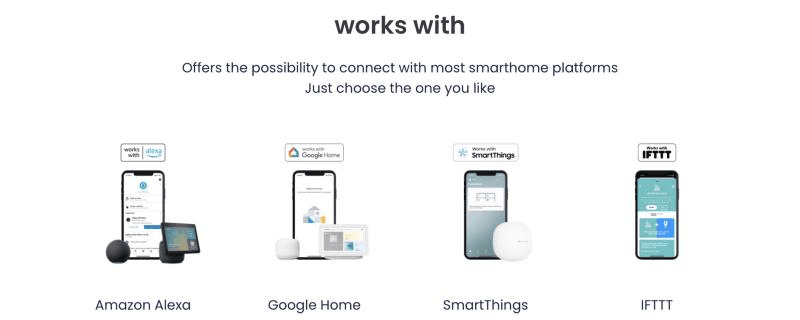
Every Sonoff device ships set up through the eWeLink app first — that's the one constant. From there, eWeLink officially bridges out to several other ecosystems, but not evenly: some get full native support, one notable ecosystem (Apple HomeKit) gets none at all without extra hardware or software. Here's exactly what works, how, and which Sonoff products to buy for each platform.
Quick reference
| Ecosystem | Support level | How it connects |
|---|---|---|
| eWeLink | Native | First-party app — required setup step for every WiFi device |
| Amazon Alexa | Native | Official "eWeLink Smart Home" Alexa skill |
| Google Home | Native | Official eWeLink integration in the Google Home app |
| Samsung SmartThings | Native | Official "works with SmartThings" eWeLink integration |
| IFTTT | Native | Official eWeLink IFTTT service, trigger/action applets |
| Apple HomeKit | Not native | Only via Matter-certified devices, or a Home Assistant HomeKit Bridge |
eWeLink: the required first step
Every Sonoff WiFi device pairs through the eWeLink app before it can talk to anything else — Alexa, Google Home, SmartThings, and IFTTT all authenticate against your eWeLink account rather than connecting to the device directly. So regardless of which voice assistant or platform you eventually want, you'll set the device up in eWeLink first, then link out from there.
Amazon Alexa
eWeLink publishes an official "eWeLink Smart Home" Alexa skill. Enable it in the Alexa app, link your eWeLink account, and your switches, plugs, and sensors show up as Alexa-controllable devices — voice on/off, inclusion in Alexa Routines, and grouping with other Alexa smart home devices.
Google Home
Same pattern: link eWeLink as a service inside the Google Home app and your devices appear alongside the rest of your Google Home setup, controllable by voice through any Google Assistant speaker or display and usable in Google Home automations.
Samsung SmartThings
eWeLink has an official "works with SmartThings" integration, so Sonoff devices can appear in the SmartThings app next to your other SmartThings-compatible hardware and be included in SmartThings automations — no separate hub or community integration required.
IFTTT
eWeLink also runs an official IFTTT service. This is the most flexible option of the four cloud integrations: you can build applets that react to a Sonoff sensor (e.g. a DW2 door sensor opening) by triggering almost anything else IFTTT supports, or trigger a Sonoff switch from services that have nothing to do with smart home — weather, calendar, email, and so on.
Apple HomeKit: the one ecosystem without native support
This is the one gap worth knowing about before you buy: eWeLink does not offer a native HomeKit integration, and it isn't in their official "works with" lineup. If Apple Home is your primary ecosystem, you have two real options:
- Buy a Matter-certified Sonoff device. Matter is natively supported by Apple Home (iOS 16.1+), so Matter devices pair directly — no bridge, no extra app. Sonoff currently sells two: the M5 Matter smart switch and the MINI R4M.
- Run Home Assistant with its HomeKit Bridge integration. Any Sonoff device already in Home Assistant — WiFi via the SonoffLAN integration, or Zigbee via ZHA/Zigbee2MQTT — can be exposed to Apple Home through Home Assistant's built-in HomeKit Bridge, at the cost of needing to run Home Assistant as the middle layer. New to Home Assistant? Start with our complete integration guide, and see our ZBDongle-P vs ZBDongle-E comparison for picking a coordinator.
Matter devices — the only native HomeKit path


Which Sonoff products work with Alexa, Google Home, SmartThings & IFTTT?
Essentially all current Sonoff WiFi devices do, since those four integrations all route through the eWeLink account rather than depending on a specific product. That includes general-purpose switches and plugs like these:
Popular WiFi switches (Alexa, Google Home, SmartThings, IFTTT)


Bottom line
- Using Alexa, Google Home, SmartThings, or IFTTT? Any current Sonoff WiFi device works — just link your eWeLink account to each platform once.
- Using Apple Home? Buy a Matter device (M5 Matter or MINI R4M), or plan on running Home Assistant as a HomeKit bridge if you want to keep using your existing Zigbee or WiFi Sonoff gear.